How to Rank First on Google Maps in 2026 (A Real Guide, With Data)
The factors that actually move local rankings in 2026 — with their real weight —, the order to tackle them in, and which popular tactics are a waste of time.
RankuTracker Team
16 de julio de 2026
Appearing in Google's Local Pack — that block of three businesses with a map that shows up at the very top — is no longer "a nice extra" for a local business: it is the channel. Businesses that make it into those top three positions capture the vast majority of clicks for the search, while everyone from position 4 onwards fights over the crumbs. Translated: ranking first doesn't mean "more visibility," it means more calls, more driving directions to your location, and more customers walking through the door.
The good news is that most of your local competitors are still doing the bare minimum. This guide gives you the edge: which factors actually move the needle in 2026, the order to tackle them in, and which popular tactics are, frankly, a waste of time.
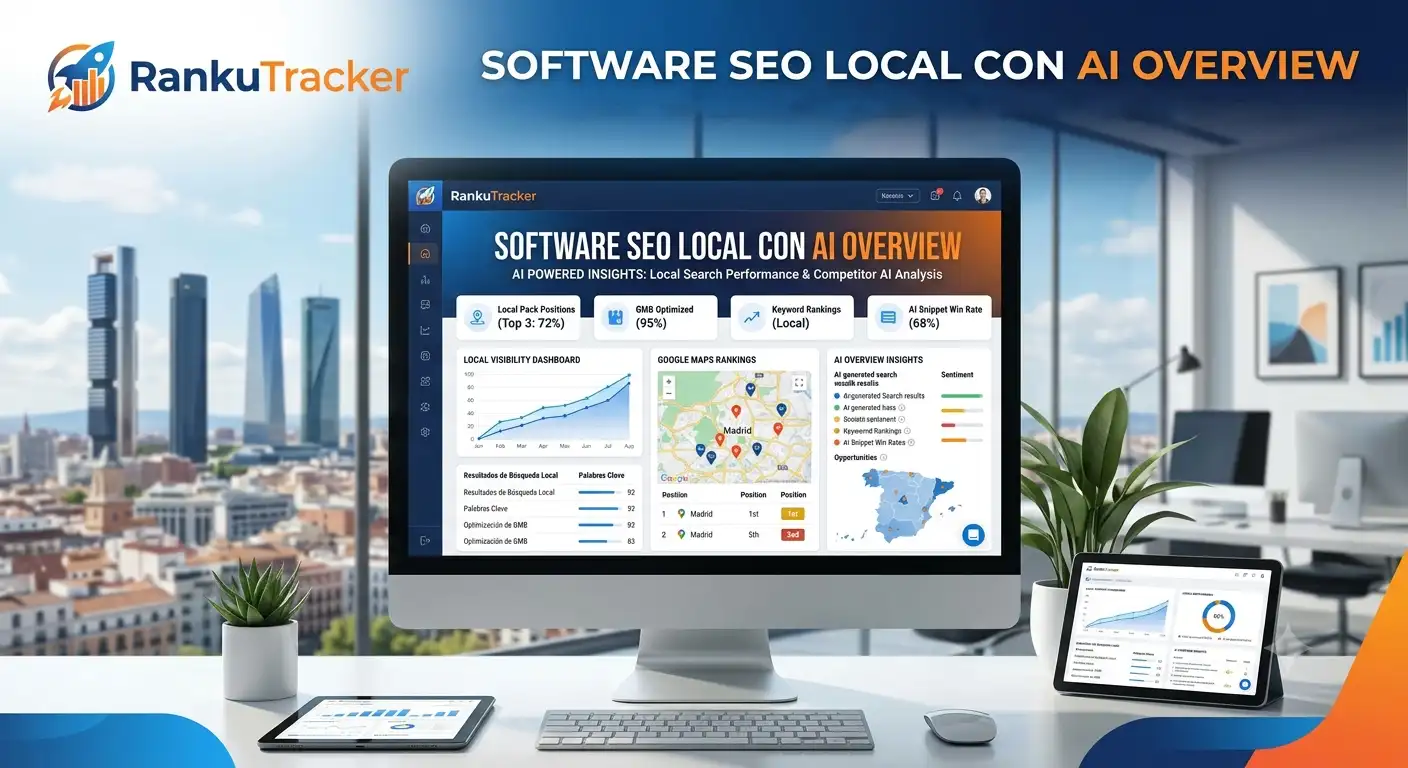
And before you touch anything, measure your starting point. With RankuTracker's RankMap you can see the exact position you hold on Google Maps from every point in your city and, with Competitor Visibility, who dominates your area and by what percentage. That way you know who you're really competing against and can check, week by week, whether what you're doing is getting you closer to the top 3.
How Google decides who ranks first (the 3 factors + their real weight)
Google is transparent about one thing: local ranking is based on three factors.
- Relevance: how well your business matches what the person is searching for.
- Distance (proximity): how close you are to the user or to the place mentioned in the search.
- Prominence (authority): how well-known and well-regarded your business is, based on reviews, mentions, and online presence.
So far, that's what everyone tells you. The interesting part comes when we look at how much each one actually weighs. The industry's reference study is Whitespark's Local Search Ranking Factors 2026, where 47 experts score 187 signals. Their conclusions for the Local Pack:
- Proximity decides around 55% of the ranking. You can't fully control it, but it conditions everything else.
- Within what you can control, your Google Business Profile (GBP) signals weigh ~32%.
- Reviews have risen from 16% to ~20% between 2023 and 2026 (the biggest growth of any factor).
- Your website's on-page SEO sits around 15–19%.
Why does this matter to you? Because it defines your order of work. Most businesses pour hours into details that barely score (stuffing the description with keywords, geotagging photos) and neglect what really rules: the right category, a steady flow of reviews, and a well-built local website. Always start where the weight lives.
Step 1: Create or claim your Google Business Profile
First of all, search for your business on Google Maps. An unclaimed listing may already exist (Google generates them on its own). If it exists, claim it so you can manage it; if not, create it:
- Go to
business.google.comor search for "Google Business Profile." - Enter your business's real name. If you're setting up a new business or registering a trade name, including service + city ("García Renovations Austin") is a legitimate and powerful advantage. Careful: forcing keywords into a name that isn't your real one ("Best Plumber - Cheap Plumbing NYC") is keyword stuffing and Google penalizes it.
- Choose your primary category (the single most important step; we'll cover it in detail below).
- Add your exact address so Google can geolocate you.
- Add a local phone number and your website URL.
- Verify the listing. In 2026 Google increasingly requires a continuous, uncut verification video showing the street name, your business signage, and keyed access to the premises. Have this ready.
- Fill in your hours (including holidays and special closures).
One point almost nobody mentions, and which the Whitespark 2026 study places among the 5 most influential factors: being open at the time of the search. Rankings start to drop in the final hour before closing. If you offer emergency or 24/7 service, reflect it in your hours: those after-hours searches have far less competition.
Step 2: Optimize the listing (here, the category is king)
A half-finished listing sends a weak signal. A complete listing tells Google you're a real, active business worth showing. Priorities:
The primary category is almost everything
It's the strongest individual GBP signal: it determines which types of searches you're eligible for. A wrong category cannot be compensated by any other factor: not reviews, not photos, not posting every day. Choose the most specific category that describes your main service. A plumber listed as "Contractor" always loses to one listed as "Plumber."
- Trick: look at the 3 listings that already rank for your target search and check which categories Google associates with that service in your area.
- Add secondary categories (you can have several) to capture related services. Example: a lawyer with "Attorney" as primary can add "Family Law Attorney" and "Divorce Lawyer" so people know your specialty.
Services and attributes
Detail your services and link them to the corresponding category. Fill in every attribute that applies (accessibility, payment methods, service options, wifi, outdoor seating…): in 2026 they weigh more heavily in relevance and they're what Google matches against conversational searches like "coffee shop with outlets open now."
The description: write it for people
You have 750 characters; the first 250 are what's visible without expanding. Include your city, main services, and what sets you apart. An important fact that surprises a lot of people: Google has confirmed the description is not used as a ranking factor. So don't stuff it with keywords; write it to convince a customer, not an algorithm.
Bookings, products, and updates
- If you're a clinic, salon, or restaurant, enable the booking calendar: you make conversion easy for the customer.
- Add product/service cards with pricing: they improve conversion even if you don't run e-commerce.
- Publish updates consistently. According to BrightLocal, posting 2–3 times a week generates 34% more interactions than posting once a month. (Honest caveat below in "myths": posts help engagement and CTR, but they don't directly move your position.)
Step 3: Reviews — the controllable factor growing the fastest
Think like Google: why would it show your listing if you barely have reviews while your competitors stack up hundreds at 4+ stars? Reviews are no longer just a conversion factor; they're a ranking factor of growing weight. And in 2026 the algorithm goes far beyond count and star average. What it evaluates:
- Velocity: new reviews arriving consistently. A steady trickle beats a huge spike followed by silence (an artificial spike, on top of that, raises red flags).
- Recency: this is the change of the year. "Review recency" jumped from position 93 in 2023 to 11 in 2026 — the biggest leap in the entire study. It matches user behavior: 73–74% of people only look at reviews from the last month or the last three months.
- Response rate: replying is a signal to Google and to the customer. 80% of consumers are more likely to use a business that responds to all its reviews, and 81% expect a reply within a week. Responding is associated with more reviews and a better average.
How many you need
There's no magic number, but businesses with more than 50 reviews are 266% more likely to appear in the Local Pack than those with fewer than 10. Real strategy: check how many the 3 currently ranking listings have and set a goal to match or beat them within 6–12 months.
How to get them (without cheating)
- Ask at the right moment: right after a genuinely positive experience.
- Automate the channel (an email or SMS with a direct link), but not the message: it should feel human.
- A good legitimate incentive: a free service or small perk in exchange for an honest opinion (a free beard trim at the barbershop, a free shot at the bar).
- NFC cards exist: the customer taps their phone and leaves the review on the spot.
- Encourage reviews with context: ask them to mention the service and the area. Google uses language models to extract keywords from reviews: if 30 customers write "same-day roof repair," you rank better for that search even if you never target it on your website.
Beware of the perfect 5.0: the sweet spot is 4.5–4.9. A flat 5.0 with lots of reviews breeds distrust ("too perfect") and converts worse. Activity — including replies to negative reviews, in a warm tone — tells Google there's a living business behind the listing.
Replying to every review, every week, is one of those things everyone starts and almost nobody keeps up. With RankuTracker's Review Management you centralize them in one panel and reply in seconds with AI assistance, so your response rate doesn't collapse the moment real work piles up.
Step 4: Photos and video (visual validation, the new frontier)
In 2026 images aren't decoration: Google's vision AI "reads" them to understand what you offer and decide whether to show you. Listings with good photos get ~35% more clicks and up to 42% more direction requests than those with poor imagery.
- Upload real photos: the team at work, the physical space, finished jobs, before/after shots.
- Add short videos (30–60 s) showing how you work. Video is an increasingly strong local signal.
- Avoid filling your gallery with AI-generated images: Google detects it and it erodes trust.
- Photo geotagging, repeated for years, has been debunked by controlled studies: it doesn't move rankings. Spend that time uploading more real photos, which do matter.
Step 5: Your website, NAP, and local pages
Your GBP doesn't work alone: your website reinforces (or sinks) the signals.
- NAP consistency (Name, Address, Phone): your name, address, and phone number must be identical on your website, your listing, and every directory. A tiny difference ("St." vs "Street," an old phone number) confuses Google and reduces your authority. Before optimizing anything else, unify this and remove duplicate listings. RankuTracker's NAP Audit crawls the web for your name, address, and phone number and shows you exactly where the inconsistencies and duplicates are.
- A page per service and city: create an optimized URL for every service with search volume ("bathroom remodeling in Austin," "kitchen remodeling in Austin"). Don't copy-paste swapping the city: every page must add real value. The SEO title should carry keyword + city.
- NAP in the footer, an embedded map, a visible local phone number, and a clear contact button so you don't lose the customer.
- Citations and directories: they still add up (they weigh less than years ago, ~6% in the Local Pack, but twice as much for AI visibility). Prioritize relevant niche and local directories before signing up to 200 generic ones.
- Local blog: write about your service and your city so Google associates topic + area and reinforces your prominence.
Step 6: GEO — get the AI to recommend you too
This wasn't in the guides two years ago, and it's where the game is being played now. When someone asks Gemini, ChatGPT, or Perplexity "what's the best hair salon in downtown Denver?", those systems build the answer from Google listing data (categories, reviews, attributes, photos) and from the web. This is called GEO (Generative Engine Optimization).
Two data points that explain everything:
- The use of generative AI for local recommendations went from 6% to 45% in one year.
- But AI is far more selective than Google: you can win the 3-pack and still be invisible to anyone asking ChatGPT. AI engines also punish NAP and hours inconsistencies much harder.
What to do to get into those answers:
- A thoroughly complete, consistent, and active listing (AI feeds on data, and it hates gaps).
- Detailed attributes and photos: they're what AI uses to match conversational searches.
- Recent reviews in natural language that describe your services.
- Schema markup (
LocalBusiness) and structured data on your website so the machine understands you without guessing.
And how do you know whether you're already in? RankuTracker's AI Overview Tracker checks whether Google cites you in its AI answers for your key searches, so you don't have to look them up by hand one by one.
Myths that are wasting your time
An honest article also tells you what does not work. According to controlled studies (Sterling Sky, Joy Hawkins, Whitespark):
- Geotagging photos → no measurable effect on rankings.
- Stuffing the description with keywords → Google doesn't use it for ranking.
- Publishing posts to climb positions → a 9-week test across 441 keywords found no movement; they help CTR and engagement, not direct position.
- Defining many service areas to rank farther away → doesn't work; Google ranks you by your verified address.
- Chasing the perfect 5.0 → converts worse than a credible 4.5–4.9.
And what does move the needle, in short: the right primary category, review recency and volume, review responses, being open at search time, consistent NAP, and a local page linked from your listing.
Measure to know if it's working
The GBP Performance tab is your dashboard. Check it at least once a month:
- Direct vs. discovery searches: are people finding you because they already know you, or because they searched for a generic service? Discovery searches are your new-customer potential.
- Actions: calls, direction requests, website clicks.
- Photo and post performance compared to similar profiles.
Basic information changes are reflected within days. Position improvements from a sustained strategy of reviews, photos, and activity usually show up within 4 to 8 weeks.
Quick checklist to reach the top 3
- Listing claimed and verified (video ready if they ask for it)
- Primary category as specific as possible + secondary ones
- Services with pricing, complete attributes, real hours (including holidays)
- Identical NAP on website, listing, and directories; duplicates removed
- A system to request recent, consistent reviews + reply to all of them
- Real photos and videos uploaded regularly
- A local page per service linked from your listing, with
LocalBusinessschema - Presence in niche directories
- Monthly review of the Performance tab
- Spy on the 3 listings that already rank and beat them where they're weak
Frequently asked questions
How long does it take for a business to rank first on Google Maps? Basic changes are reflected within days. Climbing positions in a stable way depends on the competition and on sustained work with reviews, photos, and activity; you typically start noticing it within 4 to 8 weeks, and consolidate it over a few months.
How many reviews do I need to appear in the Local Pack? There's no fixed figure, but passing 50 multiplies your chances. The practical approach: match or beat the review count of the three listings that already appear for your search.
Can I rank first without a website? You can rank with the GBP alone, yes. But a website with a local page and consistent NAP reinforces relevance and is nearly essential to appear in organic results and in AI answers.
Does putting my city or service in the business name help? It helps if that's your real or trade name. Inventing a keyword-stuffed name is keyword stuffing and Google penalizes it.
Is geotagging photos worth anything? Not for ranking: controlled studies have debunked it. Upload more real photos instead — that does matter.
Is local SEO the same as showing up in ChatGPT or Gemini? No. They're parallel channels and AI is far more selective. You need a complete, consistent listing, recent reviews, and structured data on your website to have a shot at being recommended by AI.
Want to know exactly where your business ranks right now — and from which streets — before you start optimizing? With RankuTracker you can measure your real Google Maps position point by point with RankMap, audit your NAP, reply to your reviews with AI, and monitor your competitors' visibility from a single dashboard.